TLDR#
- Experienced issues with USB Ethernet adapter in OPNsense.
- Replaced OPNsense firewall with a Lenovo M700, allowing an additional M.2 slot to be used with on-board Ethernet adapter.
- Added an M.2 Ethernet adapter to the new OPNsense machine, ditching the USB adapter in the junk draw.
- Added a secondary on-board M.2 Ethernet card to each production Proxmox node.
Networking Issues (USB Ethernet Adapter)#
Until recently I have been running the OPNsense firewall on an old HP EliteDesk 800 G1 Mini - and this worked OK for my original setup.
The G1 mini only has a single on-board Ethernet port, so I acquired a USB Ethernet adapter to use with the LAN interface connection. Thankfully, this adapter was automatically recognized by OPNsense and was able to operate with no extra setup required.
However, I soon found that the adapter would appear to suffer performance issues under load. Specifically, uploading large ISO files from my laptop (WAN side) to any Proxmox node (LAN side). As I had purchased two of these adapters, I swapped them to test if one was just faulty.
Nope. The same issue occurred using the second adapter.
The adapter itself was fairly hot to the touch, packets appeared to be getting dropped and sometimes the LAN interface would become completely non-responsive.
After some quick research (Reddit and OPNsense forums), I found the general consensus was that USB Ethernet adapters, particularly those with using a Realtek driver, tend to have problems matching my experience.
Problematic Adapter: Unitek Y-3470 (RTL8153 chipset)
$ lsusb
Bus 001 Device 001: ID 1d6b:0002 Linux Foundation 2.0 root hub
Bus 002 Device 001: ID 1d6b:0003 Linux Foundation 3.0 root hub
Bus 002 Device 003: ID 0bda:8153 Realtek Semiconductor Corp. RTL8153 Gigabit Ethernet Adapter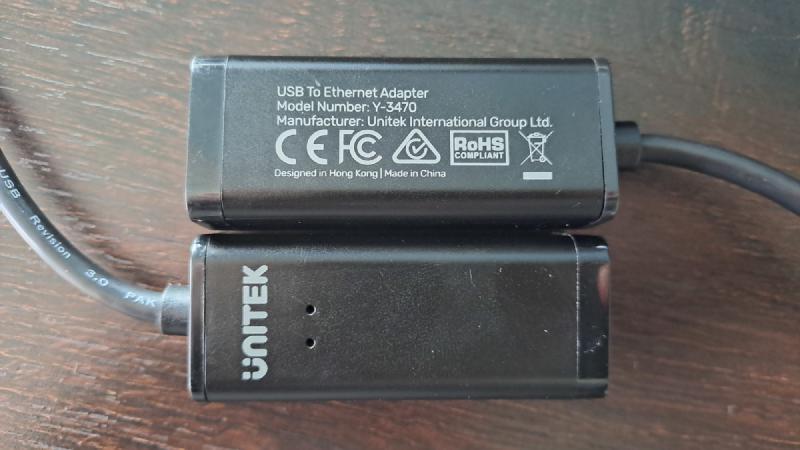
New Hardware & Components#
With the USB Ethernet adapters proving to be a constant issue, I decided to invest in a new machine that would enable me to add an additional on-board Ethernet card.
My Proxmox nodes (Lenovo P330 Tiny) have M.2 2230 and PCIe slots that would work nicely. However, I really did not want to sacrifice one of them just to run OPNsense.
In a previous update, I had added 1TB NVMe drives to each of the Proxmox nodes for ZFS storage. Plus, they seemed a bit overkill in terms of hardware for dedicating to an OPNsense firewall. They serve better as Proxmox hosts.
Scrolling through some Trademe listings, I came across a couple of Lenovo M700 mini PCs. Brilliant. These would fit in well with my micro datacenter aesthetic, they include an M.2 2230 slot (currently in use by WiFi card), and they are much cheaper than the current price of P330s.
Add both to cart. Take my money!
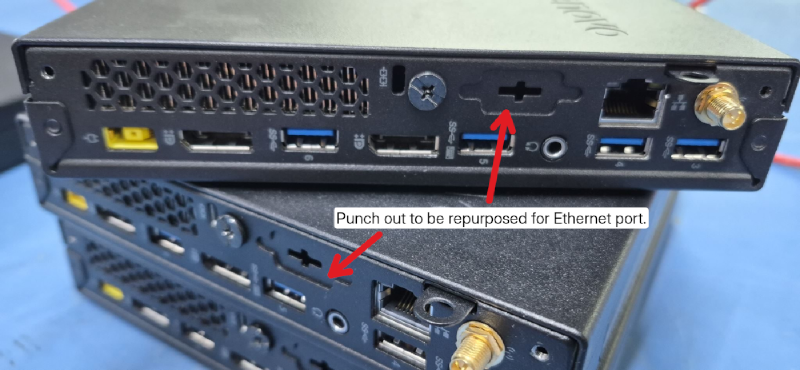
While waiting for my new machines to arrive via courier, I sourced some M.2 Ethernet cards from Amazon.
Three in total - one for the new OPNsense machine, and the other two for my Proxmox nodes. This would allow me to dedicate a physical Ethernet port for VM workloads and VLANs in Proxmox.
Based on community discussions (and not wanting a repeat of my previous experience), I decided on the Intel i226-V chipset.
Amazon Link:
Intel i226-V Gigabit 2.5G Ethernet Server NIC Card - 30CM M.2 A+E Key Interface
This card had good reviews and was reported to be very compatible. Although the rest of my network runs on 1Gb, I went with 2.5Gb cards for future proofing in case I decide to upgrade later on.
A+E - but your milage may vary.Installation & Testing#
The 30cm length of the cable was more than long enough to route around the interior of the M700 and P330 cases.
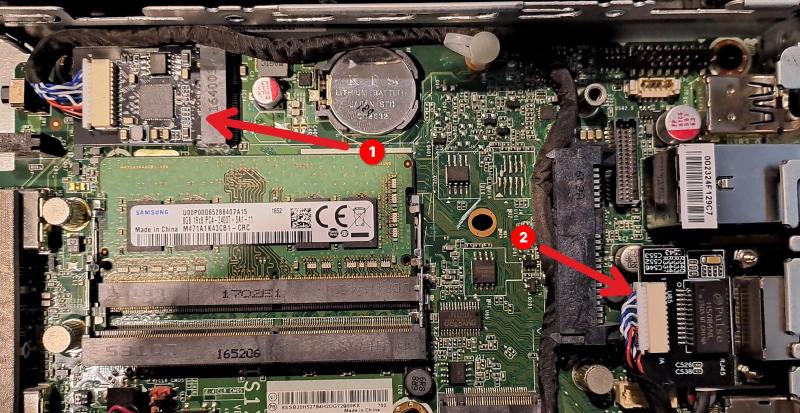
I did feel the need to add some non-conductive material (cardboard + tape) to the under side of the cards in the M700s to prevent them touching the USB port shell when installed. This was not required the P330 machines as there was sufficient clearance.
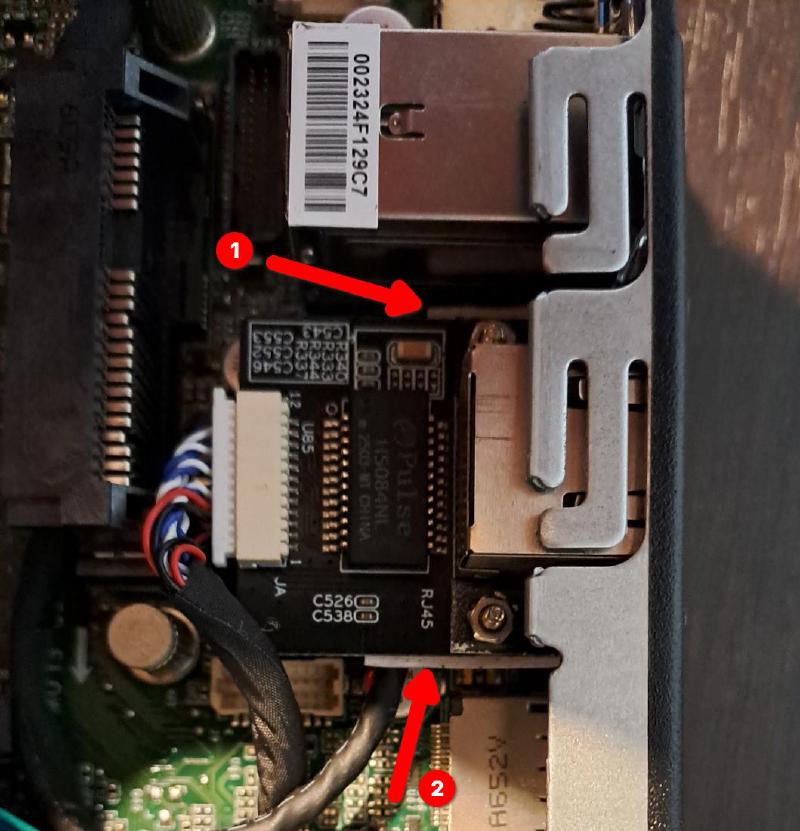
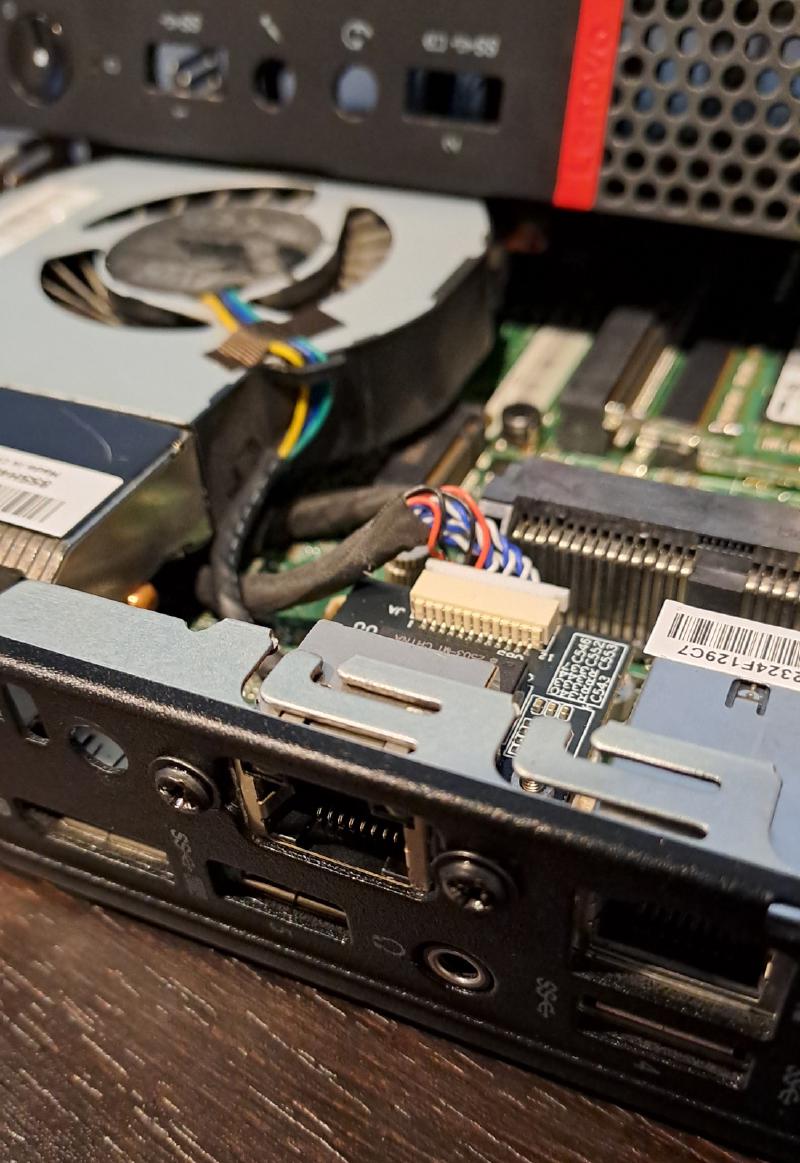
Installation was quick and easy. The provided screws fit well, with no modification to the chassis required (other than the expected removal of the punch out).
The new cards were detected straight away in both OPNsense and Proxmox with no issues.
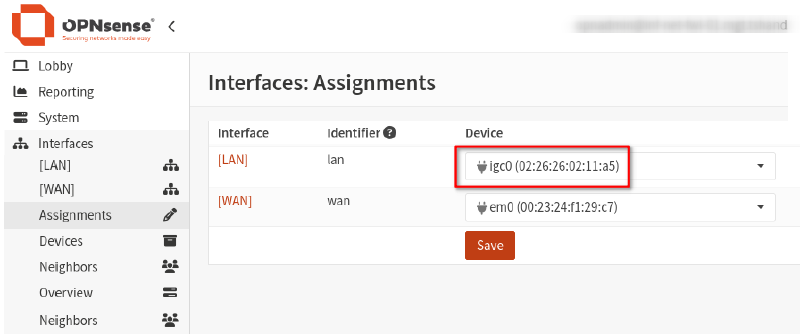
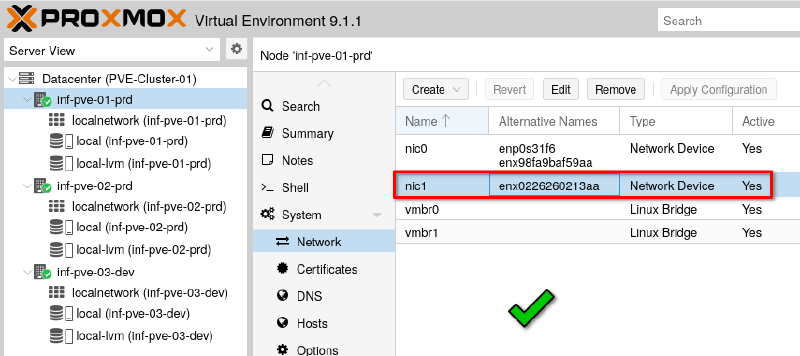
Very happy with the result. I have not yet encountered any of the issues experienced with the USB adapters. So I’m calling this one a win.
Cover photo by Alexandre Debiève on Unsplash.